HyveLabs product / Studio

Turn batch intake into planned, captured, approved, delivery-ready work.

Studio is the HyveLabs studio operating system that connects batch upload, planning, shoot-day execution, retouch routing, approvals, and final delivery in one role-aware workflow.

Studio is built for teams that are tired of stitching spreadsheets, DAM tools, chat threads, retouch queues, and ad hoc delivery folders into something that only sort of works.

Operating flowintake -> planner -> capture -> approvals -> release
Role modelbrand / ops / capture / creative
Workflow truthcanonical SKU + asset lineage
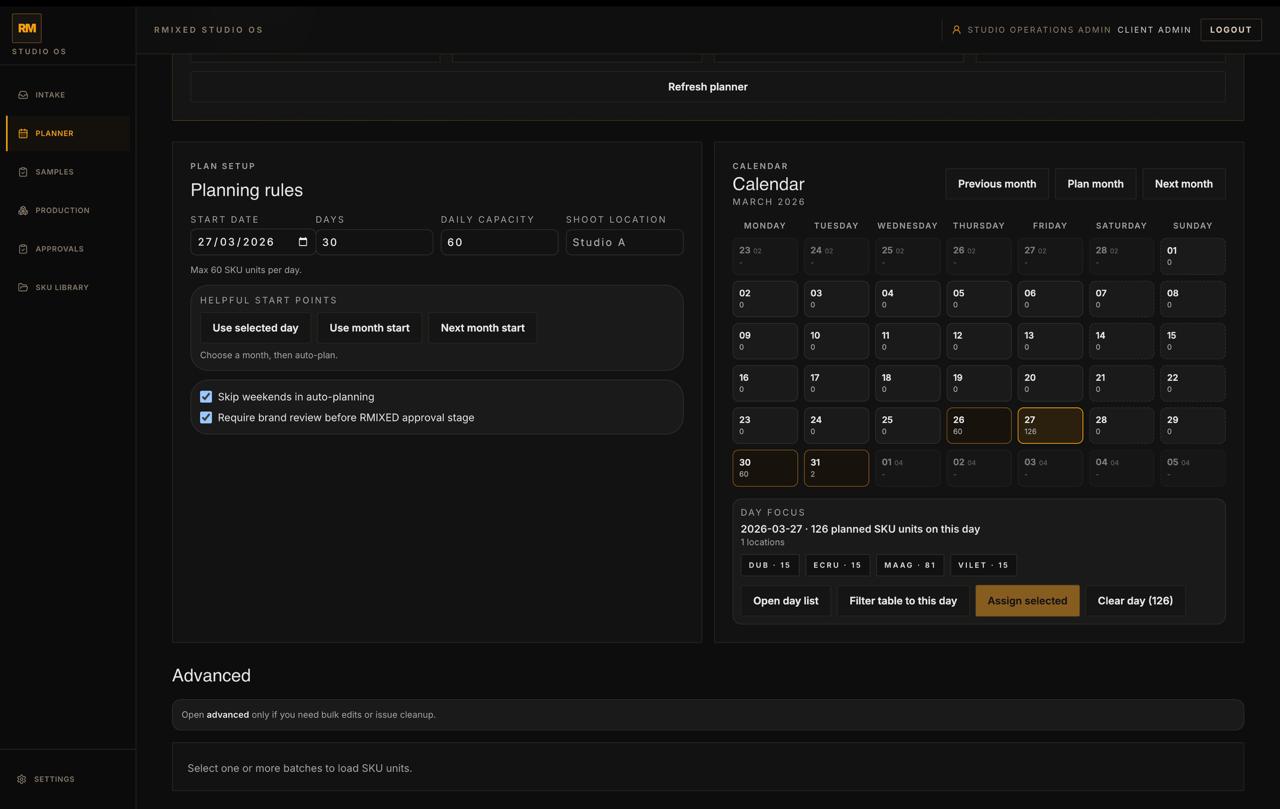
Studio / Planner command
Studio planner dashboard showing planning rules, calendar assignment, and day focus counts.
Content production management

Studio should turn intake, planning, capture, approvals, and release into one legible operating story.

The product treats the canonical SKU and numbered asset files as related but different things, preserving trust through capture, history, creative review, and final package release.

Studio / Assets & contact sheet
Assets
Actions Contact sheet
Front hero D_1005_003_700.jpg
Pattern hero D_1005_003_701.jpg
Front detail D_1005_003_702.jpg
Sport heel D_1005_003_703.jpg
Side select D_1005_003_800.jpg
Detail stack D_1005_003_801.jpg
Back look D_1005_003_802.jpg
Detail select D_1005_003_803.jpg
Studio / Style guide & asset rules
Shoes
Settings Photography Color Ref Internal Post Assets
Tabletop
Go to workflow Save

Naming logic, style guides, and asset rules keep the release lane clean without spreadsheet repair work.

Planning command

The win is seeing what will break before shoot day does.

The biggest wins come from better planning clarity, sample readiness, capture discipline, retouch routing, approvals, and delivery trust rather than from adding another reporting layer.

Studio / Production workspace
Production
Filter Actions Add session
Job code Batch Location Workflow Status
AFD01 Outerwear / DUB-26 Studio A On model / Editorial In progress
AFD02 Shoes / DUB-27 Studio B Flats / PDP Ready for QC
AFD03 Resort / KSA-09 Studio A Video / Social Blocked
AFD04 Core basics / DUB-30 Studio C Ghost / Detail Backlog
AFD05 Accessories / DUB-31 Studio B Tabletop / Copy In retouch
AFD06 Campaign / DUB-32 Studio A Lookbook / Hero Approved
AFD07 Denim / DUB-33 Studio C On model / Motion To do

Structured queues, owners, and explicit workflow states make the middle of production readable and scalable.

Sample control

Track real samples, status, and ownership without losing the production thread.

Brand Reviewer, Client Admin, Studio Capture, and Creative Admin should not all be forced into the same generic console. Studio keeps the workflow legible from the correct angle.

Studio / Sample tracking
02G03QBBK
Checked in
Wednesday 19 TS
The London Studio

Sample control

Keep status, location, and ownership attached to the production record.

  • scan barcodes across locations
  • check samples in and out with clear ownership
  • keep the physical flow visible through the same workflow
Studio / Review & approvals
To review
Coat heroAwaiting brand review
Detail selectsRetouch complete
Changes
Back angleNeeds markup
PDP setColor consistency
Approved
Final packageRelease ready
Campaign cutdownApproved

Approval state stays attached to the production record instead of dissolving into folder comments.

Product proof

The buying case is in the workflow moments themselves.

Planner, sample queue, capture command, session work, and approvals are the proof. They show Studio as the operating layer that keeps a studio day legible from intake through release.

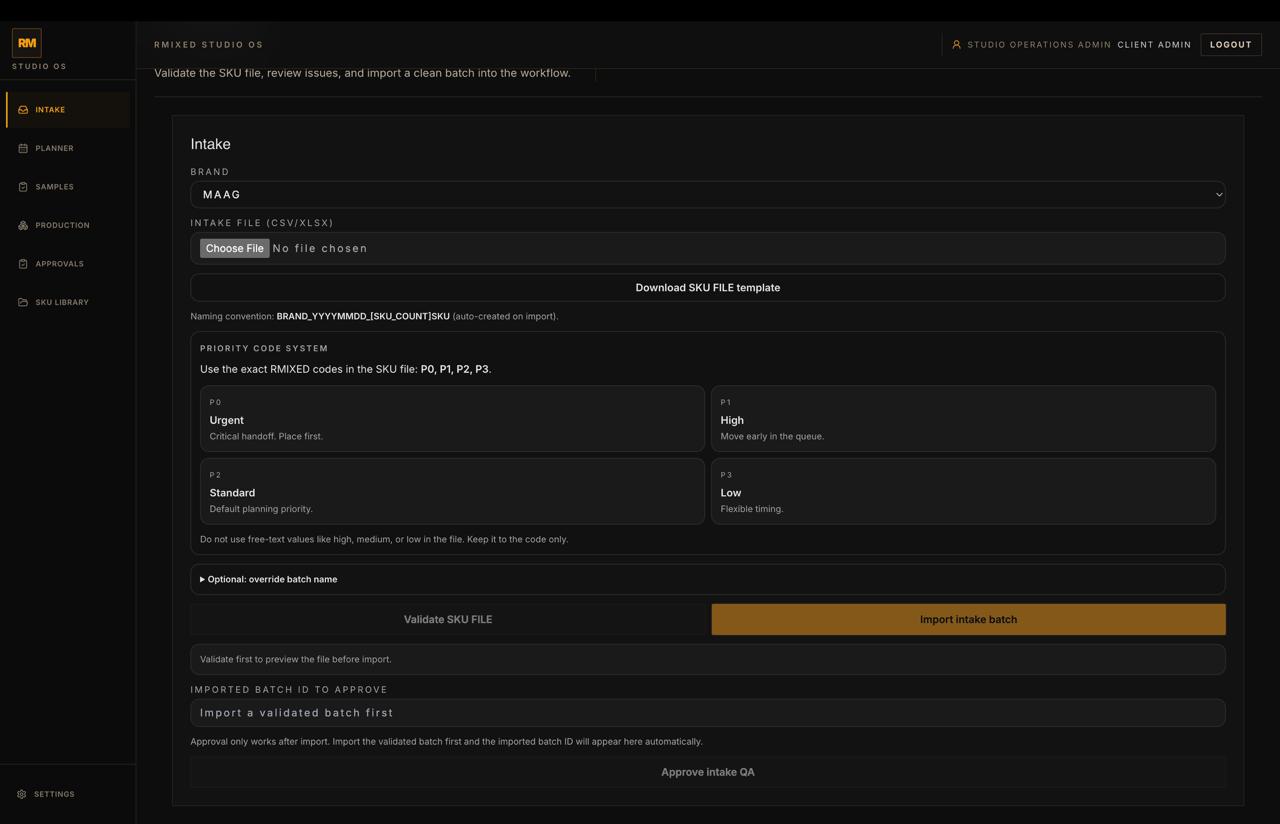
Studio intake workspace with brand selection, upload controls, and import QA actions.
Brand intake

Import lane

Workbook upload, import QA, and bounded brand-side intake.

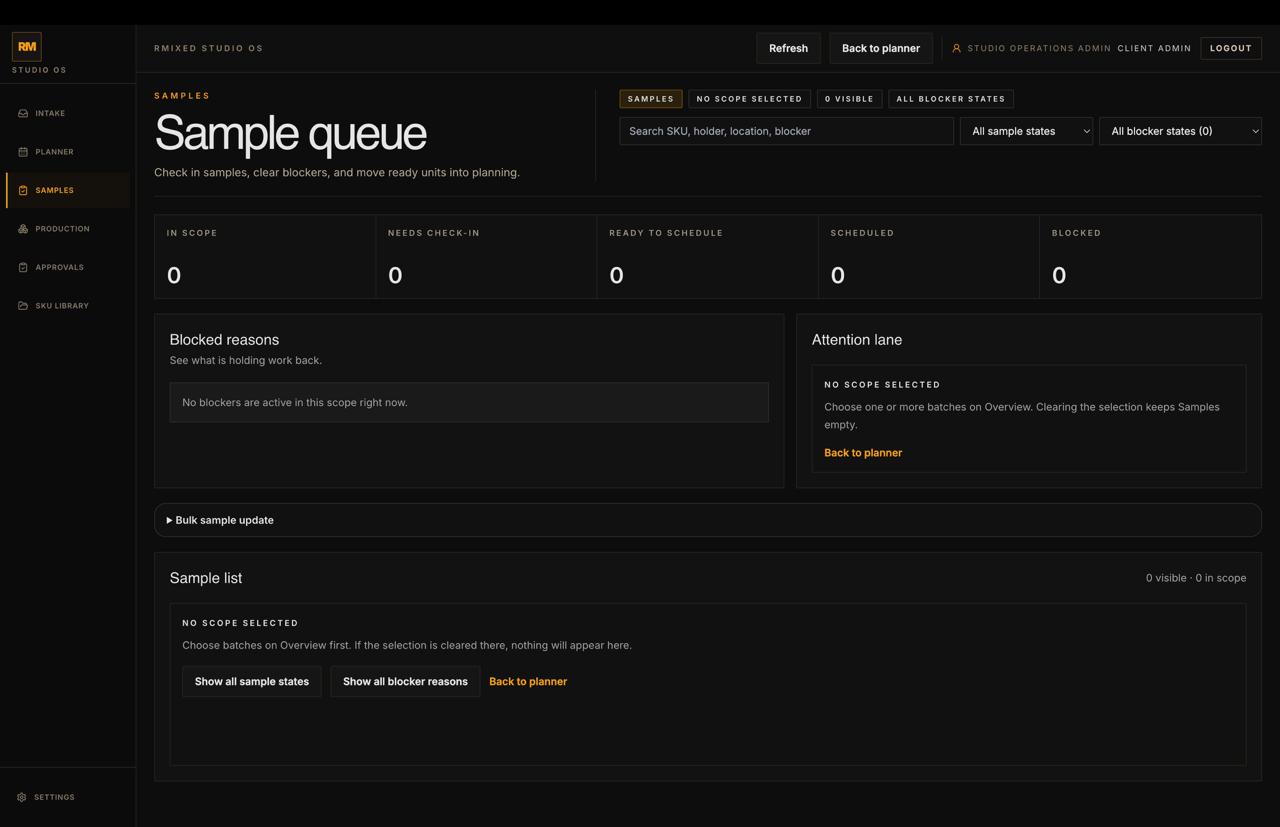
Studio sample queue showing physical sample tracking, readiness states, and ownership.
Sample control

Sample queue

Physical sample readiness, ownership, and status sit in the same production thread before capture starts.

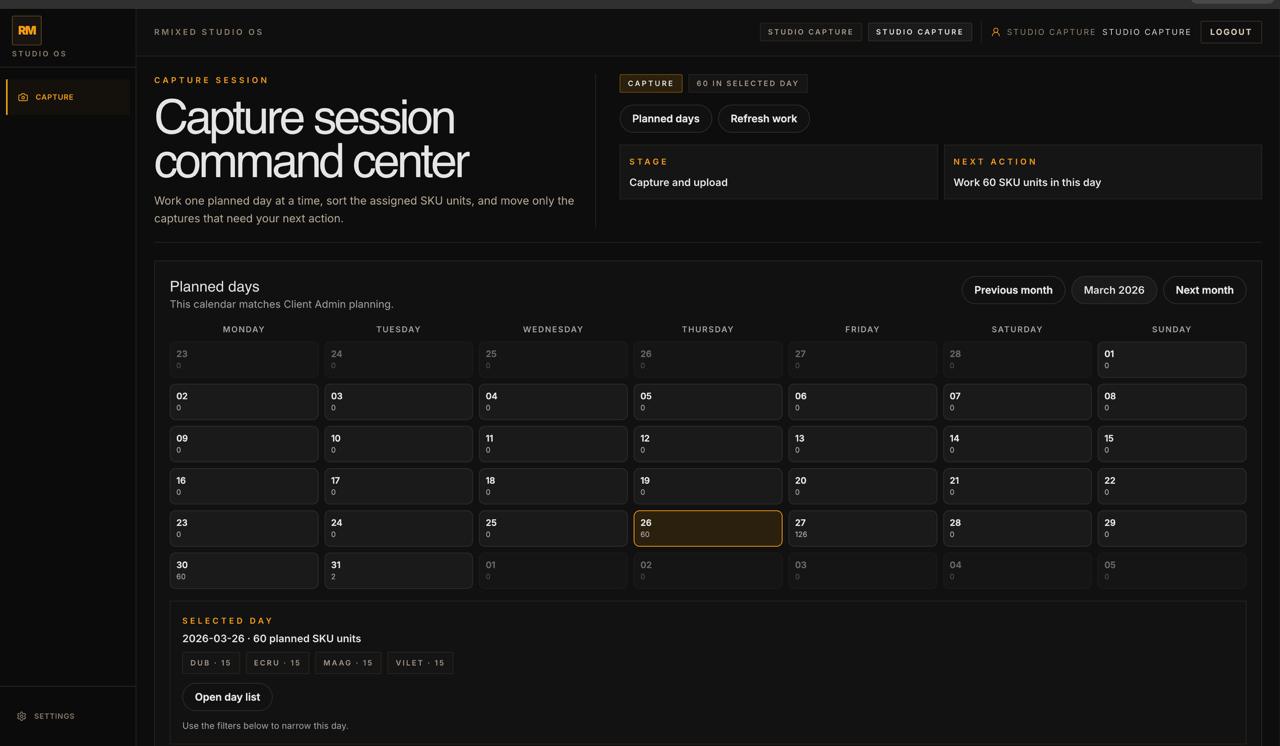
Studio capture session command center with planned day calendar and selected-day scope.
Capture command

Capture command center

Planned days, selected-day scope, and the next move stay synced for operators.

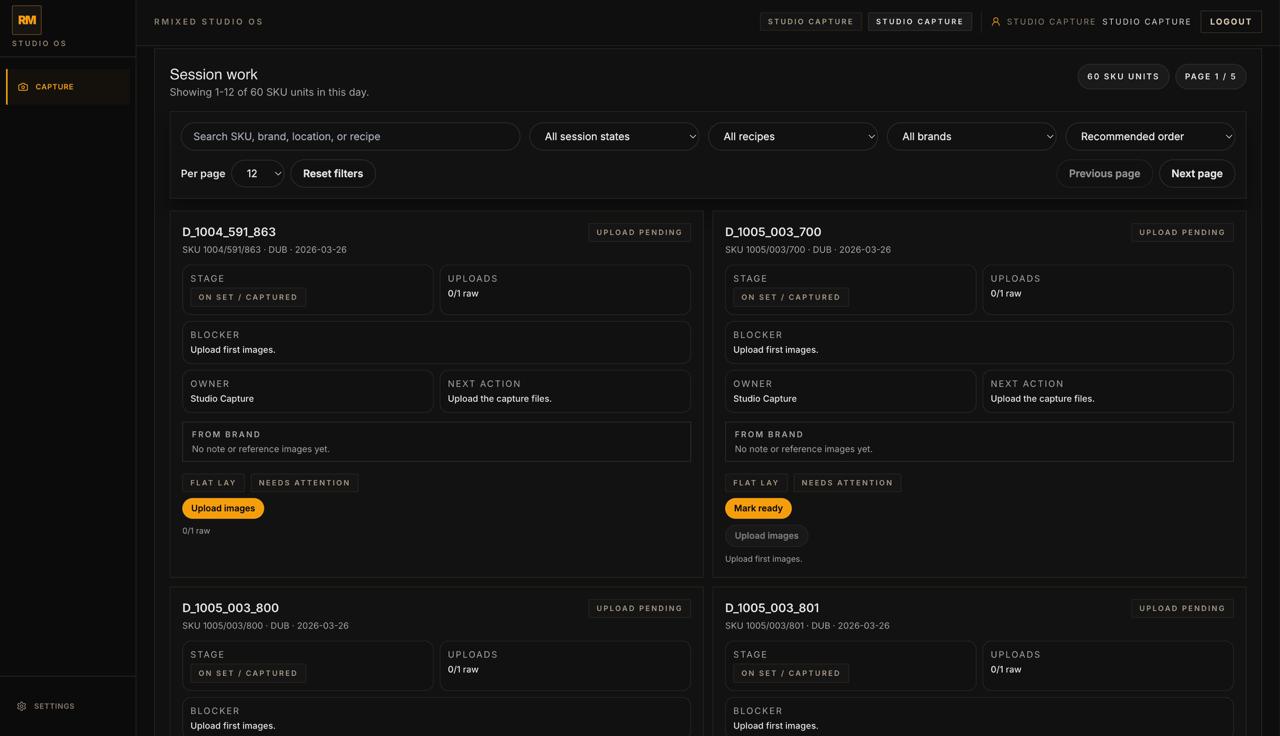
Studio capture work screen showing SKU cards with upload status, blockers, owner, and next action.
Session work

Capture work surface

Every SKU carries stage, uploads, blockers, owner, and next action.

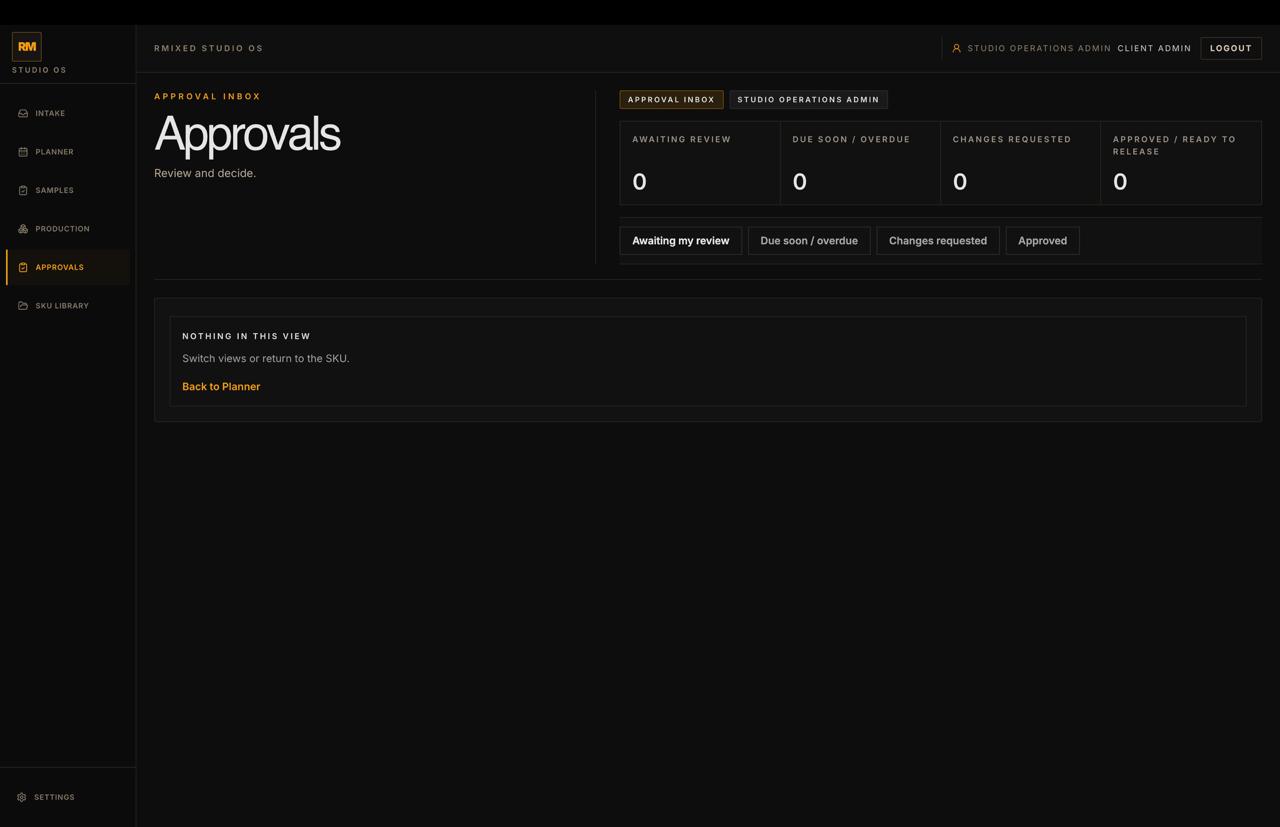
Studio approval inbox showing review states and approval tracking.
Approvals

Approval inbox

Approval state belongs in the same workflow truth as intake, planning, and release.

Where Studio plugs in

Studio carries the production thread into the wider HyveLabs stack.

It can hand work into custom software, workflow automation, and downstream operating signals without losing SKU context, asset lineage, or approval state. That is what makes it an operating product instead of another isolated tool.

Studio / Connected stack
Studio Settings Connectors
All Data source Post Delivery
Capture One
enabled
Adobe Photoshop
enabled
Akeneo / PIM
connect
Cloudinary
enabled
Amazon S3
enabled
Google Cloud Storage
connect
Product vision

This is software for running studio operations with trust.

Studio is not another tracker layered over spreadsheets, folders, DAM tools, and side conversations. It is the operating system that turns batch intake into planned work, captured assets, approved outputs, and final delivery in one role-aware workflow.